
So I was doing some Web browsing before leaving for work this morning on the RedFlagDeals.com Forums, trying to find links to local art shops I could buy frames at, and came across a post asking where frames could be found for his The Rasterbator project. His inspiration were these two images:
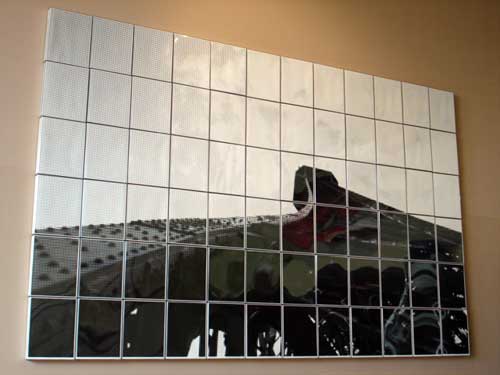
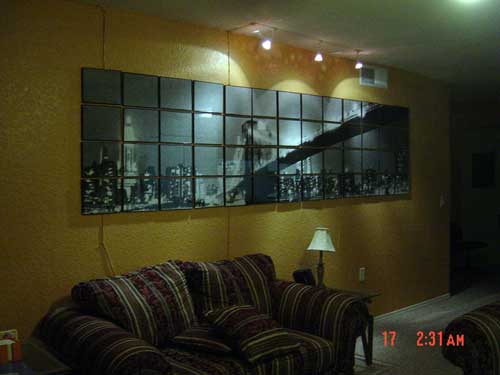
Pretty cool, isn’t it? The Rasterbator’s website offers free software that you can download and use to “create huge, rasterized images from any picture. Add an image, print the resulting multi-page pdf file and assemble the pages into extremely cool looking poster up to 20 meters in size.”
As a big fan of the now-concluded television series Battlestar Galactica, my inspiration was this:
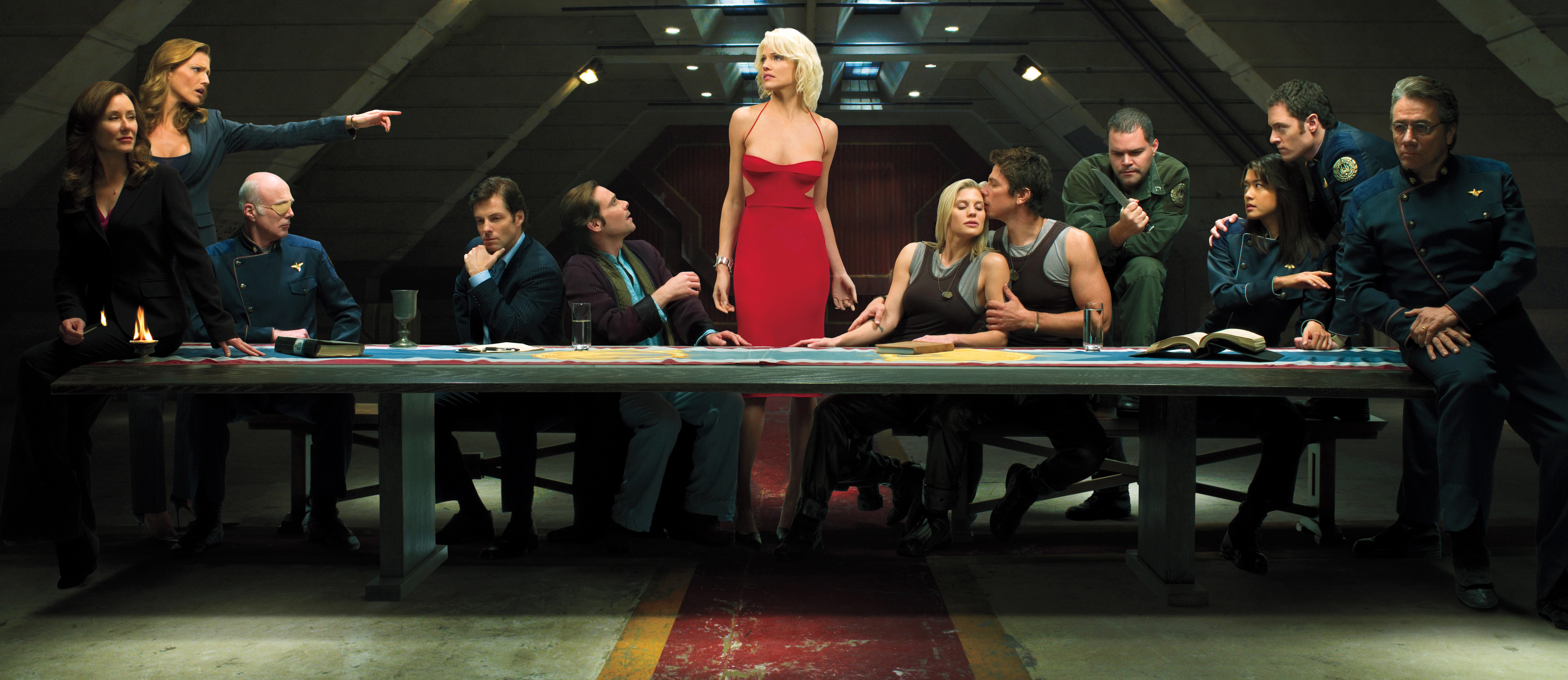
Here’s how my attempt worked out.
- I elected to use this Battlestar Galactica “Last Supper” extremely high-quality photo as the source image. At a size of 5300 x 2300 pixels and a resolution of 319.625 pixels/inch, the original image’s print size was a mere 16.582″ x 7.196″.
- I plugged the image into The Rasterbator 1.2 downloadable software and let it calculate the number of pages I’ll need to have printed. After playing with the options for a while, I decided on three row of five images – fifteen pages total – with a pixel size of 1mm. Final PDF filesize: 201 MB.
- The next step was undertaken as preparation – turning my PDF into a JPEG image file. I used Adobe Photoshop to do this. Note: A conversion of this nature is extremely CPU-intensive, so plan on having your computer do nothing else for ten or even twenty minutes while it crunches away.
- Knowing that 8″ x 10″ is the page size available at most retail printing services, I next made use of the excellent open-source program PosteRazor, which allowed me to break my one huge image up into many smaller 8″ x 10″ pieces.
- Printing the photos was my next task. Of all of the options, I found Costco’s Photo Centre to offer the best quality for the price ($1.39 per 8″ x 10″). Being impatient, I took my images (on a USB key) into a local Shoppers Drug Mart retail store with an Easypix photo printing centre attached and had them done while I waited for about double the price ($2.99 per 8″ x 10″).
- Mounting time! My solution: I bought eight sets of the 8″ x 10″ Value Series Canvas 2-Packs available at Curry’s for $3.94 each. Keep in mind that the depth of your frames is very important (the boards I linked to are a half-inch deep). In my opinion you want at least a half inch of depth if your display is going to look like a professional job. The last thing you want to do is make it look like you’ve simply tacked photos to the wall. I then used permanent double-sided tape to mount the prints to the boards.
- To get the canvas boards ready to be hung on a wall, I purchased sixteen (two sets of eight) picture frame hooks from Canadian Tire and nailed them into the wood frame of the boards. Remember not to place the hook at the top of the frame as you want the hook to fall behind the picture.
- The last thing you’ll have to do is the hardest: Nail drywall hooks into your wall at regular intervals horizontally and vertically. I put up the middle-top picture (the head of Six) first and branched out in a T from there.
Here’s what The Rasterbator program said the finished product would look like:
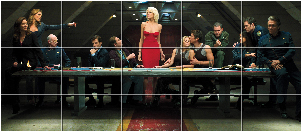
And here’s what I actually ended up with:

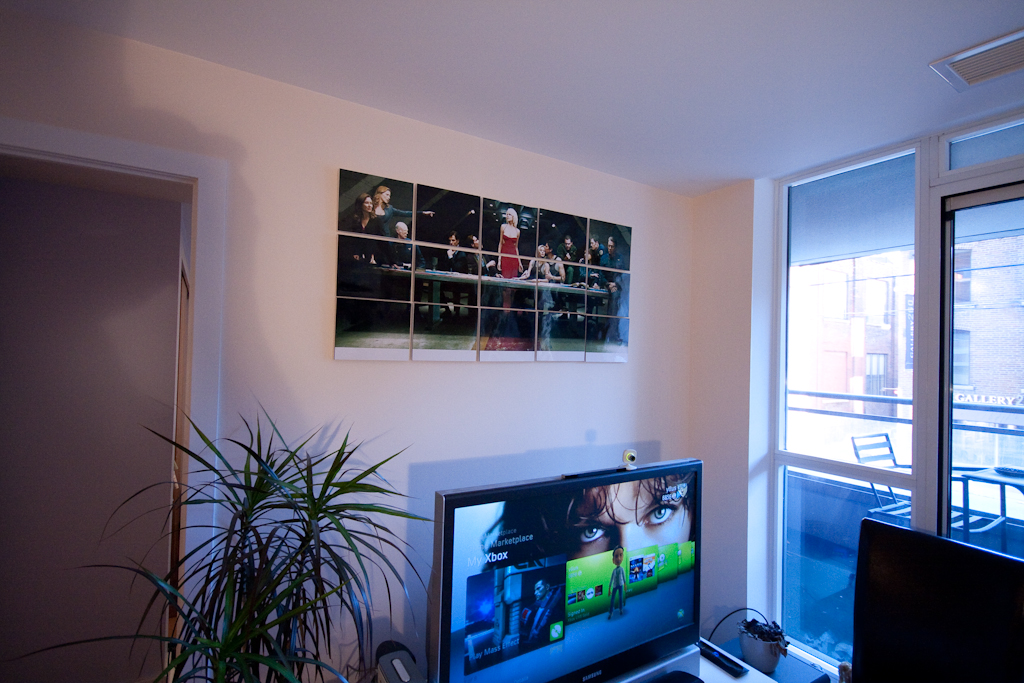
While I took my time in attempting to do this just right, the end results were still somewhat imperfect. Aside from the imperfect spacing I ended up with on the wall, I think that the slight angle each frame hangs at is a flaw – so look for hooks you will allow you to mount each board flush to the wall. Matte prints instead of going glossy is also recommended, as glossy prints look worse when viewing the display on an angle.
Criticisms aside, I found the entire rasterbation project to be a lot of fun, and I truly enjoy looking at the results. If this post inspires you to create your own display, please leave a comment with pictures of what you end up with!
Useful references: Katsushika Hokusai’s The Great Wave Off Kanagawa and Ten Tips on Using Sect of Homokaasu’s Rasterbator.
How is the quality close-up? You were using a large source image so I assume its better than some of my other attempts, but I am still curious since your images are all from at least 10 feet.
Hey Steve,
The quality is actually very good! I think it’s best to keep any rasterbation on a wall that people can’t press their nose up against, but even at two or three feet the quality of the JPEG I’m hosting holds up.
I was working on this and separated the PDF into individual pages, because opening it as a 15 page PDF was too cumbersome. However, when I open the PDF for page 1 I end up with this: http://img8.imageshack.us/img8/3639/page1ar.jpg
When I save it as a png it looks like this: http://img8.imageshack.us/img8/808/page1bb.png
Is this what you ended up with?
Thanks,
Steve
What did you use to glue all the pictures on to? I have a very cool image that I would like to do this for but dont want to just stick the paper on wall. I would like to make it one of the top two pictures on this wall. Thanks
Hey Kash – I used double sided tape to attach the printed photos to canvas boards, which then each were hung on the wall by nailed-in hooks. The half inch of depth the canvas boards provided made a huge difference in how it looked.
Thank you Sully… Can you please tell me where did you get the picture of the bridge displayed on the top right of this page? It would be amazing to make something like this. thank you
No idea, unfortunately. It was linked to by another person who also did not own/create that image.
I was actually looking for somewhere that I could buy a large painted canvas of the BSG last supper to put in my 56″ x 29″ inch antique frame. There was an oil on canvas painting in it before I owned it. does anyone think BSG Last Supper would look ok in this size, 56″ wide x 29″ tall. ??? also, the way you mount a canvas in it is to turn it around, pop out a wood square the size of the canvas, put the canvas in and press the wood squre back into the frame, securing the canvas. any ideas would help an amature. thank you
Thank you for your reflection!
I’m doing about 8-10 projects with 2mm rasterbation on 4×6 photo prints (I have hundreds of free prints on snapfish) but couldn’t decide on glossy or matte. Now I have an answer! Matte it is! Thank you so much!
Time to print 300 photos!